Azure SQL database. Nice and simple and fast … or is it?
1. Database It starts with the choice. Are you going for an Azure SQL database, a Managed Instance or SQL…

There are IT projects that everyone gets excited about – a new analytics stack, machine learning, edge computing. And then there are projects that nobody is really eager to start. SQL Server migration rarely tops the wish list. Understandable, but wait too long and your environment will turn from a stable workhorse into a ticking time bomb. Support deadlines are approaching, applications keep growing, hardware wears out. Before you know it, you’re dependent on a platform that no longer receives updates, patches, or attention. In this blog, we explain why postponing is not an option and how to execute a migration in a smart, fast, and structured way.
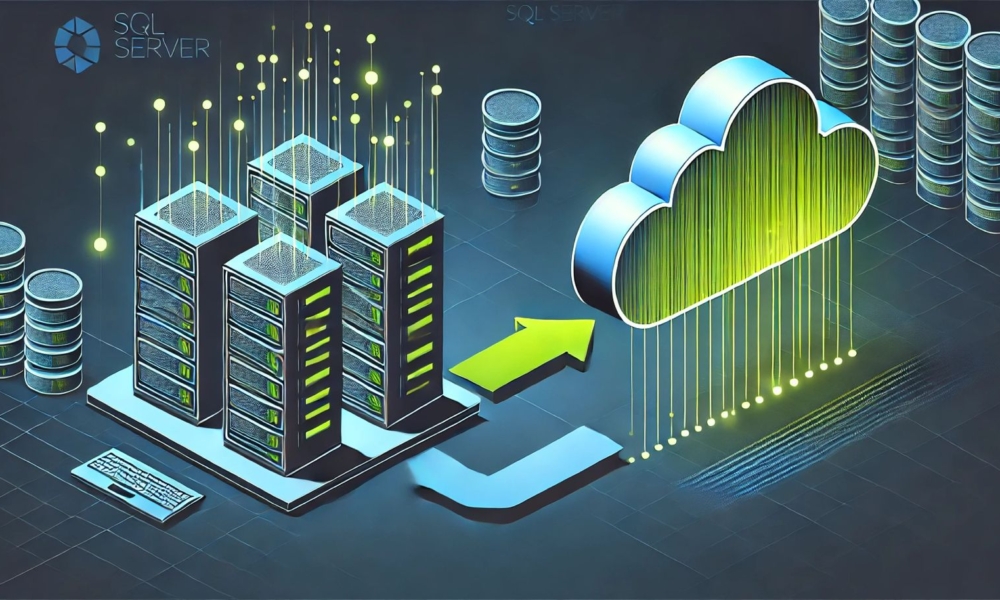
SQL Server 2012 and 2014 are fading out. Support has ended, security patches are disappearing, and no new features will be added. SQL Server 2016 is still in extended support, but that too will soon come to an end. Yet in many organizations, critical applications are still running on these versions.
Microsoft SQL Server follows a fixed support cycle. Mainstream support ends after five years, extended support after ten. During mainstream support, you receive all updates and new features. Extended support only covers security updates, you no longer get regular support. After extended support, you are completely on your own: no patches, no bug fixes, no SLAs. At that point, even the best monitoring won’t help anymore.

Our advice: upgrade before the end of regular support. If you’re still running on SQL Server 2017 (already out of regular support) or 2019 (coming up soon), it’s time to take action, not to make Microsoft happy, but to safeguard your organization’s continuity. And if you’re still on 2014 or 2016, then it’s absolutely urgent. Keeping those versions alive with workarounds and manual fixes will become a costly affair that only gets more expensive over time.
Don’t forget to also evaluate the Software Assurance option, which allows you to upgrade to SQL Server 2025 without additional licensing costs.
Migrating doesn’t always have to mean moving to the latest version on a “fresh” VM. More and more organizations are choosing to move SQL Server to the cloud, Azure SQL or managed instances are serious alternatives, provided the move is well thought out.
That said, Azure SQL is not a one-to-one copy of your current SQL Server. It’s a multi-tenant environment, with shared resources, a different security model, and its own limitations. It’s easy to scale and well-managed, but not always suitable for every type of workload.
There are plenty of differences compared to on-premise: no database names in views, procedures, and functions; no cross-database joins; no SQL Server Agent jobs. Azure SQL Managed Instance can be an intermediate solution, but be aware: with a cloud database, you have no control over the version. You automatically run on the latest release. This in turn impacts your application landscape (and its lifecycle management).
The right route depends on your applications, data volume, integrations, and future plans. And we determine that together – based on facts, not gut feeling. Mark van der Haar has already written a blog about this topic: Migration to Azure SQL database, every advantage has its disadvantage.
A SQL Server migration may seem like a “commodity project,” but reality is often more complex. Version limitations, dependencies, shadow data, overflowing tempdb, old linked servers – the devil is in the details.
That’s why our approach is hands-on, structured, and grounded in expertise:
Need more than just migration? Think monitoring, backup strategy, or High Availability? We’ll support you, but always with the principle: no unnecessary tooling, no vendor lock-in, no sales fluff.
What sets us apart from traditional consultants or staffing agencies? Flexibility, on-demand expertise, and honest expectations.
Sometimes you need one specialist for three weeks. Sometimes a duo to guide your platform and train your team. And sometimes you just want someone to review your downtime planning.
Thanks to our modular approach, you decide how much expertise you need, and when. We call this managed consultancy. That way, you’re never over- or understaffed.
With 15+ years of SQL Server migration experience, we know that every project is unique. We specialize in hybrid database environments, both on-premises and cloud. Our proven approach combines scalable engagement with transferable knowledge.
Short lines, down-to-earth people, no slick sales talk. We think from your context: applications, team, budget, and long-term goals. No one-size-fits-all script, but simply the right choices for your platform.
Outdated database versions are a risk, for your compliance, your security, and your business. That’s why migration isn’t just smart, it’s inevitable.
Are you still running on SQL Server 2017 or 2019? Then it’s time to take action. Not because Microsoft says so, but because you want to stay in control of performance, security, and costs.
Want to know where you stand? Schedule a free migration intake with one of our senior consultants. We’ll walk through your environment and provide clear advice. No obligations, just insights you can actually use.
Get in touch for a no-obligation intake, or start directly with a Database QuickScan to map out your current situation.