Data(base) events 2025
In 2025, there are several exciting database and data events, conferences, and seminars scheduled, focusing on data, databases, open source,…

Oracle will end support for MySQL 8.0 in April 2026. After that, you won’t receive security patches or bug fixes—and any new vulnerabilities will remain unaddressed by the vendor. For organizations that rely heavily on MySQL, delaying means compounding risk. The solution is simple: plan your upgrade now to avoid more expensive, more stressful projects later.
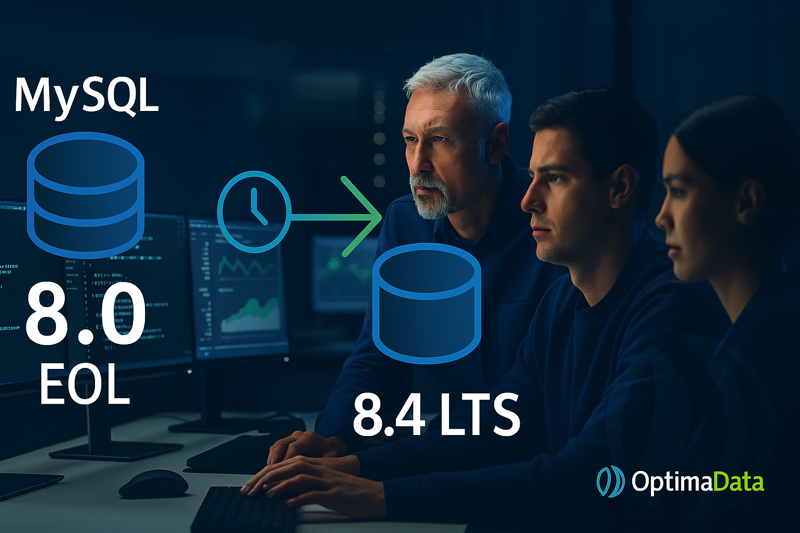
After EOL, you’re on your own for vulnerabilities and issues. Auditors will also ask whether you’re running supported software; without vendor patches, that’s hard to justify. There are specialist providers (such as Percona) that offer post-EOL backports and mitigations—useful as a temporary bridge, but costly and not the same as official vendor support. In the long run, sticking with 8.0 is more expensive, riskier, and frankly irresponsible compared to a controlled upgrade.
MySQL 8.4 LTS is the stable path forward, with longer support and more modern defaults. The query planner gets smarter thanks to automatic histogram updates, which means less manual tuning and more predictable performance. In practice, that means fewer “why is this suddenly slow?” moments and a calmer operations life.
Security has also been refreshed. For example: the legacy login method mysql_native_password is disabled by default in 8.4 (and removed entirely in 9.0). That enforces more modern authentication (e.g., caching_sha2_password) and reduces risk. If you still have clients or middleware that explicitly expect mysql_native_password, we’ll address that during the upgrade.
Outdated login: Some apps still use the old method (mysql_native_password). In 8.4 it’s disabled; in 9.0 it’s gone. Result: login errors if you do nothing. Fix: update drivers/middleware to the modern plugin.
Old password function missing: The historical function PASSWORD() was already removed in 8.0. Scripts that rely on it will fail; we replace it cleanly with supported alternatives and adjust provisioning.
Changed config names: MySQL has used a new variable name for transaction level for years (transaction_isolation instead of tx_isolation). Old entries can cause errors or be ignored; we’ll tidy up your config and automation.
These are exactly the “small” issues that eat time if you discover them at go-live—precisely the ones we prevent with proper preparation.
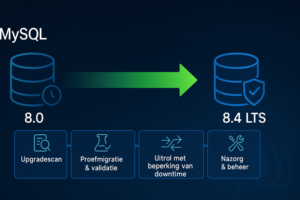
We do it for you. Not a DIY checklist, but a pragmatic execution by our engineers. We work according to a proven plan:
In this session we briefly review your environment and discuss expectations. After the call you’ll understand the impact, our approach, and indicative costs.
In short order we map your landscape: versions, dependencies, clients, drivers, and quick wins. We identify breaking points (such as mysql_native_password, PASSWORD(), transaction_isolation) and determine the smartest route to 8.4 LTS.
We test representative workloads on 8.4, verify query plans (including automatic histograms), and check compatibility. Result: predictable performance and no surprises at go-live.
Depending on your setup (on-prem, VM/k8s, or RDS/Aurora MySQL) we plan a phased rollout with maintenance windows and replication or blue-green patterns where possible. Goal: minimize downtime and enable fast rollback if needed.
Post go-live we keep a close eye with monitoring, backups, and performance tuning. Prefer to stay on 8.0 a little longer first? We can temporarily manage your 8.0 environment—though to be clear: without vendor security patches and bug fixes after April 2026.
Less risk: you’re back on a supported LTS version with modern defaults.
More predictability: less manual tuning thanks to a smarter planner (auto histograms).
Faster acceptance: compatibility issues (like mysql_native_password) are handled upfront, not during your change window.
April 2026 may seem far off, but in IT project time it’s tomorrow. Start this quarter, avoid peak pressure, and choose peace of mind in operations. Book an upgrade scan and let our database experts execute your MySQL upgrade end to end—with a focus on minimizing downtime and ensuring continuity of your database operations.
In a single session, you’ll know exactly where you stand.